
Five practical lessons for websites that ask less of their visitors.
Your UI looks polished, yet your visitors still can’t find what they came for. That gap between appearance and usability is a useful place to start when deciding what your website needs next.
Nielsen Norman Group’s State of UX 2026 article highlights AI fatigue and the limits of competing on surface-level design. Our takeaway for websites is simple: make the experience quieter. By quieter, we mean fewer interruptions, clearer choices and less effort to complete a task. A colourful, expressive website can do that too.
Here are five ways to put that thinking into practice.
1. Look beyond visual polish
NN/g notes that design systems, reusable components and standard patterns are making UI cheaper to produce. A polished interface still matters, but it does not tell you whether visitors can use it successfully.
Look at what the design helps people do. Can visitors understand what you offer, compare their options and find the next step? Visual hierarchy, clear labels and well-placed information should support those tasks. Our article on why modern web design is no longer about looks explores this distinction further.
2. Make AI earn its place
NN/g describes growing fatigue with AI features that add little value. For website teams, that is a reason to be selective about where AI belongs. Our discussion of AI in web design considers some of those choices.
“A useful test is to ask: if we removed this AI feature, would the visitor’s task become harder or slower?” If the answer is no, reconsider what it contributes.
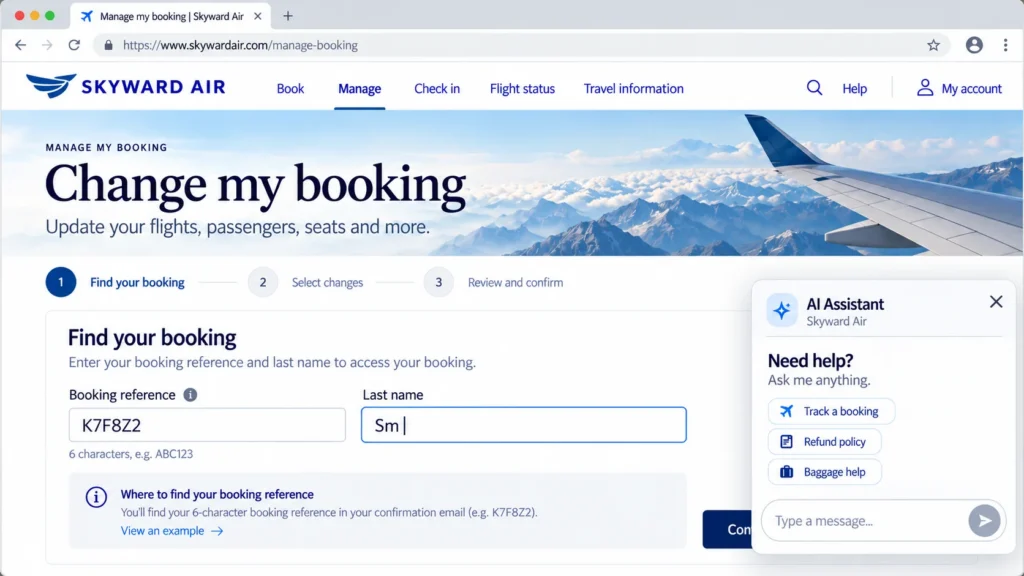
For example, an AI feature that helps someone find an answer across several pages has a clear purpose. An unsolicited assistant greeting may simply interrupt someone who already knows where they want to go. Judge the feature by the task it supports, and test whether it actually helps.
This is the thinking behind Breezy AI Search. Rather than asking visitors to start a conversation with another chatbot, it focuses on a familiar website task: search. Visitors can ask questions in their own words and Breezy matches their intent with relevant information already available on the website.
3. Build trust into the experience
NN/g identifies trust as a major challenge for AI experiences, with transparency, control, consistency and support when systems fail all playing a role. On a website, clear visibility of system status also helps visitors understand what is happening.
In practice, that means:
Show where answers come from, so visitors can check them.
Use relevant, maintained source content to inform AI responses. RAG Search (Retrieval-augmented generation) can help AI systems retrieve relevant information from approved source content, but the resulting answers still need testing and review.
The same principle applies to AI-powered website search. Breezy, for example, generates answers from indexed website content and shows the sources behind those answers, giving visitors a way to check where the information came from.
Make the next step clear when an answer is unavailable. Explain what could not be found and offer a relevant page or contact route.
An honest limitation and a useful next step give visitors more to work with than an unexplained failure.
4. Help visitors find information in their own words
As more interactions are mediated by assistants, agents and search summaries, website teams also need to think about how much work visitors do before reaching the information they need. That is broader than on-site search, but it raises a useful question for website teams: how much work does someone have to do to reach the information they need?
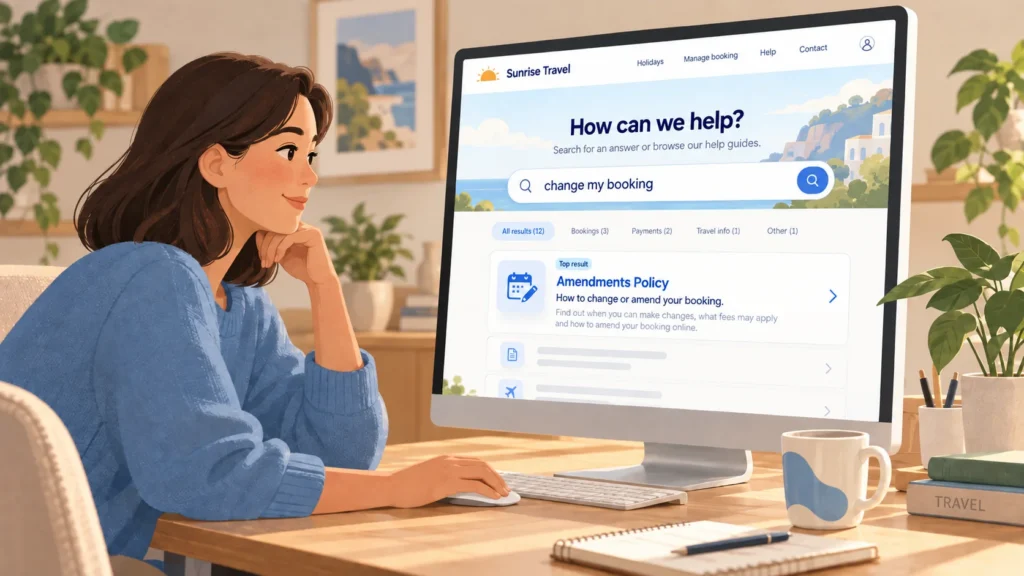
On content-heavy websites, search can complement clear navigation. Someone may ask “can I change my booking?” without knowing to look under “Policies > Amendments”. As we discuss in How Visitors Actually Look for Things on Your Website, the words visitors use may differ from your page titles.
Consider a hypothetical booking website. Its policy page is titled “Amendments”, while a visitor searches for “change my booking”. Test whether that query finds the policy. If it does not, review the page wording, navigation labels and search behaviour to work out where the mismatch occurs.
Tools that match questions to relevant content can help, but first check what your existing experience gets right and where it fails. Our guide to six patterns that break website search experiences offers a starting point.
5. Make layouts accessible and easy to use
A quieter layout makes priorities clear without hiding useful information. Group related content, use descriptive headings and give important actions enough space. Removing options is only helpful if visitors can still find what they need.
Accessibility should be part of those decisions from the start. Use the Web Content Accessibility Guidelines (WCAG) 2.2 as a reference. Check colour contrast, provide appropriate text alternatives for informative images, use empty alt text for purely decorative images, and make sure the site works with a keyboard.
Check the same tasks on mobile. Can visitors read the content, use the controls and complete forms without unnecessary effort? Our article on why mobile conversion rates often lag behind desktop explores related barriers.
A sparse page can still be confusing or inaccessible. Test the experience with the people who need to use it, including people with disabilities.
FAQ
What does AI fatigue mean for website UX?
It is a reason to be more selective about AI features. Focus on whether a feature helps visitors complete a task, gives them useful control and provides a clear next step when it cannot help.
Is AI still worth adding to a website?
Yes, when it addresses a clear need and testing shows it helps. Finding information across a large website is one possible use. Start with the visitor problem, then assess whether AI is an appropriate solution.
Does this apply to smaller websites too?
Yes. A ten-page website can still make pricing or contact details difficult to find. Clear copy, accessible layouts and straightforward navigation may be all it needs. Add search when the amount or complexity of content makes it useful.
How does UX affect how AI search engines see my site?
Clear, useful content is good for visitors and supports established SEO practices. For Google’s AI Overviews and AI Mode, there are no special optimisation requirements beyond existing SEO fundamentals. Google recommends creating helpful, reliable, people-first content, providing a good page experience and making important information available in textual form. Our GEO checklist offers further points to review.
Make website search work with the way people actually ask
If visitors regularly know what they need but struggle to find the right page, improving the search experience may be one place to start.
Breezy AI Search helps visitors search your website in natural language and find answers grounded in your existing content, without requiring them to guess the exact keyword.