
When was the last time you used the search box on your own website? If the answer is “not recently,” you are probably not alone. Site search is easy to ignore until a visitor types something perfectly reasonable and gets nothing useful back.
The problem is not always missing content. Often, the page exists, but the visitor uses different words from the ones on the page. That is where traditional website search can struggle. Breezy AI Search takes a different approach by matching meaning and intent, not only exact wording.
Why built-in website search falls short

Most platforms ship with a built-in search box. WordPress, Shopify, Squarespace, Webflow and most CMS templates all include one, and for simple keyword queries they do the job. The limits show up when visitors do not use the same wording as your content.
- Typos can affect search results. A misspelling such as “wordpres hosting” may fail to surface a page about WordPress hosting unless another search layer handles fuzzy matching.
- Synonyms are easy to miss. A visitor may search “shipping cost” while your page is called “Delivery Fees.” Keyword search does not automatically understand that the two ideas are related.
- Natural-language questions are harder to interpret. A question such as “Can I get a refund after 30 days?” expresses an intent that may not directly match the wording used on a refund policy page.
- Custom fields may not be included by default. Content stored in ACF or other custom fields often needs extra configuration or a search plugin before WordPress can search it.
- Ranking control is limited. You can improve WordPress search with plugins and custom code, but teams that need stronger relevance controls usually need a more purpose-built search layer.
These limitations are some of the main reasons website search experiences fail users.
Many WordPress search plugins improve indexing, weighting and fuzzy matching. AI website search goes a step further by trying to match the visitor’s intent to the content that is most likely to answer it.
If you’re considering upgrading your WordPress search experience, explore our comparison of the 5 best AI site search tools for WordPress to see how different solutions compare in features, setup and pricing.
How Breezy AI Search works

There are really two parts to the process: building the index, and answering a visitor’s search.
Crawl. Breezy AI Search visits the site’s public pages and adds them to its search index. New and updated pages are picked up again based on the plan’s recrawl schedule.
Understand. The indexed content is represented by meaning and context, not only exact keywords. This is what allows semantically related wording to match.
Match. When someone searches, it compares the query with the indexed content and surfaces the most relevant results.
Answer. Using RAG search, AI Answer can generate a direct response from the website’s indexed content instead of showing only a list of links.
Beyond improving website search, RAG also plays a role in how businesses structure and optimise their content. Discover RAG search to make your content easier to discover and retrieve.
Breezy AI Search typically surfaces matching sources in milliseconds. A more comprehensive AI-generated answer can take a few seconds, depending on the query, connection and device. The brief wait is balanced by the value of receiving a direct, contextual answer.
What about AI hallucinations?
Breezy AI Search generates answers from content indexed from your website using RAG (Retrieval-Augmented Generation). This helps keep responses grounded in your own content rather than relying only on the AI model’s general knowledge.
As with any AI-generated response, accuracy should still be tested for important queries before launch. Keeping your website content clear and up to date also helps Breezy return more useful answers.
Installing Breezy AI Search on any website
Breezy AI Search is a hosted search service, so it is not tied to any specific CMS or platform. As long as your website is publicly accessible and renders HTML, you can use it.
Setup is straightforward: add your website to Breezy AI Search, let it crawl and index your public pages, then install the search widget by adding the provided snippet to your site’s <head>. For most websites, the entire process can be completed within minutes.
For WordPress, follow Breezy AI Search’s installation instructions and add the snippet using a supported header/footer or code-injection tool. If you already use a code snippets or header/footer scripts plugin, that is often the simplest option. Marketers can also deploy Breezy AI Search through Google Tag Manager (GTM), while developers can add the snippet directly to the site’s codebase.
The same approach works across most website platforms:
Shopify, Squarespace, Wix and Webflow: Add the snippet through the platform’s custom code or head-code settings.
Sitefinity, Drupal, Umbraco and other enterprise CMSes: Add it to the shared layout, master page or template.
Static HTML and Jamstack sites: Place the snippet in the base template or shared
<head>include.Single-page applications: Breezy loads as a standard script and does not require server-side rendering.
Google Tag Manager: Add the snippet as a Custom HTML tag, allowing marketing teams to deploy it without changing the website code directly.
Before indexing your site, it is also worth reviewing which pages should appear in search. Old campaign pages, archives and other low-value URLs can create unnecessary noise for visitors. Breezy AI Search lets you exclude selected pages from the index, giving you more control over the content visitors can discover.
How to install Breezy AI Search on WordPress
For WordPress users, getting started is even easier with the official Breezy AI Search WordPress plugin. No manual coding or API key configuration is required.
Simply follow these steps:
Log in to your WordPress dashboard and navigate to Plugins > Add New Plugin.
Search for Breezy AI Search, then click Install Now and Activate.
Navigate to Breezy > AI Search and start your free trial or connect an existing account.
Complete the setup, then test the search functionality before enabling it on your website.
The plugin works with your existing WordPress search box, or you can configure a floating search button. Once you’re satisfied with the setup, switch on Breezy AI Search to give visitors a smarter way to find information.
Using another website platform? Breezy AI Search also supports Shopify, Webflow, Squarespace and other CMS platforms through a simple code snippet.
The controls that keep search useful over time
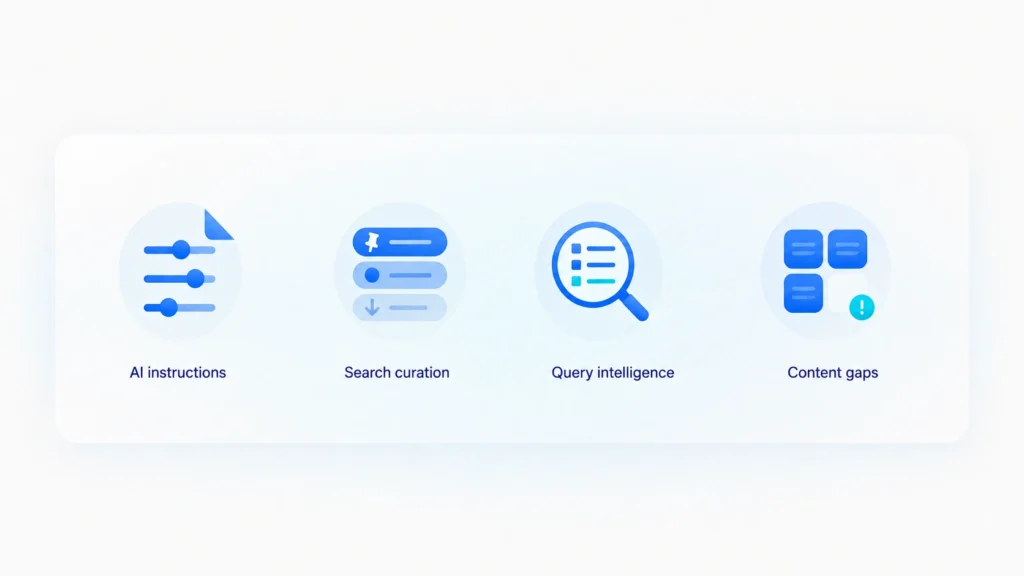
Good site search is not a one-time installation. It needs enough control to stay relevant as the website changes.
Custom AI instructions. On supported plans, you can guide the tone, scope and rules used for AI-generated answers so the output better matches your brand and content priorities.
Search curation. Breezy AI Search lets teams pin, demote or hide results for specific queries without changing the underlying page content.
Query intelligence. Searches are grouped into categories so teams can see what visitors are trying to find, not just a raw list of keywords.
Content gaps. Searches with no or few useful results can be reviewed as potential gaps in the website content.
What it costs
Breezy AI Search pricing starts at US$29/month for Growth, followed by US$49/month for Professional and US$149/month for Scale. Enterprise plans are available with custom pricing. The plans support 100, 500 and 2,000 pages capacity respectively.
Core features such as smart search, AI Answers, smart query categorisation, search curation and Custom AI Instructions are available from the Growth plan. Higher tiers mainly increase usage limits, the number of users and content refresh frequency, while Scale also includes widget white-labeling.
A 14-day free trial is available on the Growth plan with no credit card required.
Where it's a good fit, and where it isn't

Breezy AI Search makes the most sense on sites with enough content that visitors genuinely have to search: knowledge bases, documentation, support hubs, content-heavy corporate sites, and e-commerce sites with policies or product information that people regularly look up.
Even a small brochure site can benefit when visitors need a faster way to reach key services, policies or contact information. The Growth tier offers a relatively affordable way to add a more modern search experience. Breezy AI Search is less suitable when most useful content sits behind a login and cannot be crawled.
Breezy AI Search can index content across multiple languages. The widget detects the language of the page a visitor is searching from and responds in that language.
Search results can come from anywhere across your indexed site. For example, a visitor on /kr/ can still find relevant content under /cn/.
If each language section needs to remain completely separate, set them up as individual tenants.
Want to understand what happens behind the scenes? Read more about how AI search works, including semantic search, RAG and how AI retrieves relevant content from a website.
FAQ
What is AI website search?
AI website search uses semantic matching to understand the meaning behind a query instead of relying only on exact keywords. Depending on the tool and plan, it may also generate a direct answer from the site’s indexed content.
Which website platforms does Breezy AI Search work with?
Breezy AI Search works with WordPress, Shopify, Webflow, Squarespace, Wix and custom-built websites. WordPress users can install the official Breezy AI Search plugin directly, while other platforms can integrate it using a simple HTML snippet.
Will it slow down my site?
Breezy AI Search handles crawling, indexing and search processing on its own infrastructure rather than through your website database search logic. The front-end widget is still a third-party script, so it is worth testing real-world site performance after installation.
Do I need to restructure my content first?
Usually not. Breezy AI Search can crawl content that is already published, but the pages still need to be public, crawlable and clearly written if you want useful search results.
Can I stop certain pages from appearing in website search results?
Yes. Breezy AI Search lets you exclude pages from the index and add them back later if needed.
How fast are results?
Matching sources typically appear in milliseconds, while a comprehensive AI-generated answer can take a few seconds. Actual speed will still depend on the query, the visitor’s connection and device, and the way the widget is implemented.
Does Breezy AI Search support multilingual websites?
Yes. Breezy AI Search can index multilingual content. Because control over AI Answer response language is still being refined, test the languages and queries that matter most before launch.
The bottom line
Website search is easy to neglect because it sits quietly in the corner of a site. But when someone uses it, they usually have a specific goal. A search experience that cannot handle normal wording, typos or intent creates friction at exactly the moment a visitor is trying to find something.
Give your website smarter search without rebuilding the whole thing. Breezy AI Search adds semantic search to your existing site, so visitors can find what they need while your current setup stays exactly where it is.
If you are considering it, use the 14-day trial to test the questions your visitors ask most often. Search for them the way a real person would, including vague wording and typos, and compare the results with your current website search. That will tell you more than a feature list will.