
There is a moment every website visitor knows. You land on a site looking for something specific — a product detail, a support answer, a piece of information you know is somewhere on the site. You find the search bar. You type your query. You press enter.
And then: a wall of partially relevant links. Or worse — zero results. Or a list of articles that mention your search term once, in a paragraph about something else entirely.
Most people don’t complain. They just leave.
This is the most consistent pattern we see when reviewing digital experiences: the search function — the one feature explicitly designed to help users find things — is often the fastest way to lose them. It promises help. It delivers friction. And most website owners have no idea how often it happens on their own site.
The Scale of the Problem Is Bigger Than It Looks
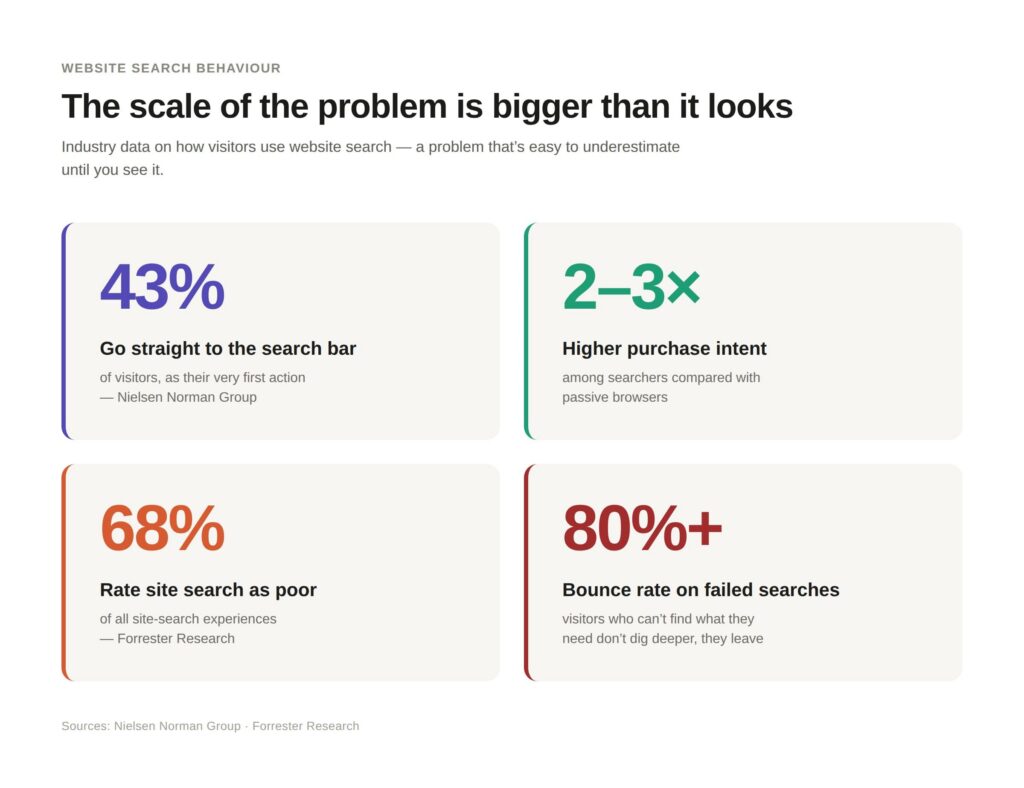
Industry data on website search behaviour reveals a problem that’s easy to underestimate until you see it:
- 43% of website visitors go directly to the search bar as their first action, according to research from the Nielsen Norman Group
- Sites with search functionality see it used by a significant portion of visitors — and those visitors typically have 2–3x higher purchase intent than passive browsers
- Yet according to Forrester Research, 68% of site search experiences are rated as poor by their users
- Failed searches correlate directly with bounce rates above 80% — visitors who can’t find what they need don’t dig deeper, they leave
Why Traditional Website Search Was Never Built for People
To understand why most site search fails, it helps to understand what it was originally built to do. Traditional keyword-matching search was an index lookup. It worked by scanning a database for documents containing the exact words you typed. Type “return policy” and it found pages containing the phrase “return policy.” Simple, fast, and technically functional.
The problem is that this was built for a world where users searched with precise, structured queries. Where they knew the exact terminology a site used. Where they patiently reviewed ten results and clicked through to find what they needed.
That world doesn’t exist any more — and honestly, it probably never did for most users.
Real search behaviour looks nothing like this. People type incomplete thoughts. They use different words than the ones on your page. They ask questions. They describe problems rather than products. They type “can I send this back if it doesn’t fit” instead of “returns policy.” They search for “doesn’t work on my phone” instead of “mobile compatibility.” They think in natural language, and traditional keyword search can’t follow.
The result: a technically functioning search bar that misses the point entirely.
The six most common patterns that break website search — zero-result pages, terminology mismatches, mobile failure, and more — are covered in detail in the companion article: Six Patterns That Break Website Search Experiences.
What Users Actually Expect Now
User expectations for search have been shaped by a decade of Google refinement and, more recently, by AI-powered interfaces that have raised the bar dramatically. When someone uses a modern search product, they expect it to:
- Understand what they mean, not just what they typed
- Return answers, not just pages
- Handle natural language, typos, and incomplete queries
- Adapt to context and query intent
- Show relevant results without requiring the user to already know the right words

When your website’s search delivers a 2010-era keyword index against those expectations, the gap is jarring. Not loudly jarring — users don’t send complaint emails about your search bar. They just quietly stop using your site.
The Hidden Business Cost
Search failure is one of the least-tracked metrics on most websites. Teams track bounce rates, session duration, and conversion events — but they rarely audit zero-result rates, search abandonment, or the correlation between search outcomes and exit rates.
What we consistently find when this data is surfaced: a significant share of site exits trace back to failed search interactions. Users who searched and found nothing, or searched and found irrelevant results, and then left.
The commercial translation is direct. High-intent visitors — the ones who came to your site knowing what they wanted — were turned away by the one feature designed to help them find it.
The Fix Isn't "Better Keywords"
The instinctive response to broken search is to improve the content — tag things better, add metadata, create more pages. And while content quality matters, it doesn’t solve the core problem. The core problem is that keyword matching is the wrong model for how users actually search.
What closes this gap is a fundamentally different approach to how search works: one that understands the intent behind a query, not just the words in it. One that can bridge the gap between how users describe what they need and how a site has organised its content. One that can answer questions, not just return documents.
This is the shift that AI-powered search makes possible — and it’s no longer an emerging technology. It’s a practical capability that websites of all sizes can now access.
For WordPress sites specifically, this no longer means a custom build. AI Search by Breezy plugs intent-aware, natural-language search directly into your existing WordPress search bar — no rebuild, no separate search infrastructure.
Most websites have a search bar. Far fewer have a search experience.
The distinction matters more than teams often realise. The visitors using your search function are your most motivated, highest-intent traffic. They came looking for something specific. They want to find it quickly. A search experience that fails them doesn’t just lose a pageview — it loses a conversion opportunity that your other marketing channels worked to create.
The good news is that this isn’t a content problem or an SEO problem. It’s a search technology problem — and it’s one that modern AI-powered approaches can actually solve.
See it on your own site. AI Search by Breezy is built to close exactly this gap on WordPress sites — try it and see how your visitors’ real queries get handled.