
Website search behaviour is rarely as predictable as designers expect. Visitors describe problems, ask questions, and use their own terminology rather than searching with the exact words used on your website. Here are six common search behaviours that can expose the gaps in your website search experience.
1. Zero-Result pages that send users straight to the exit
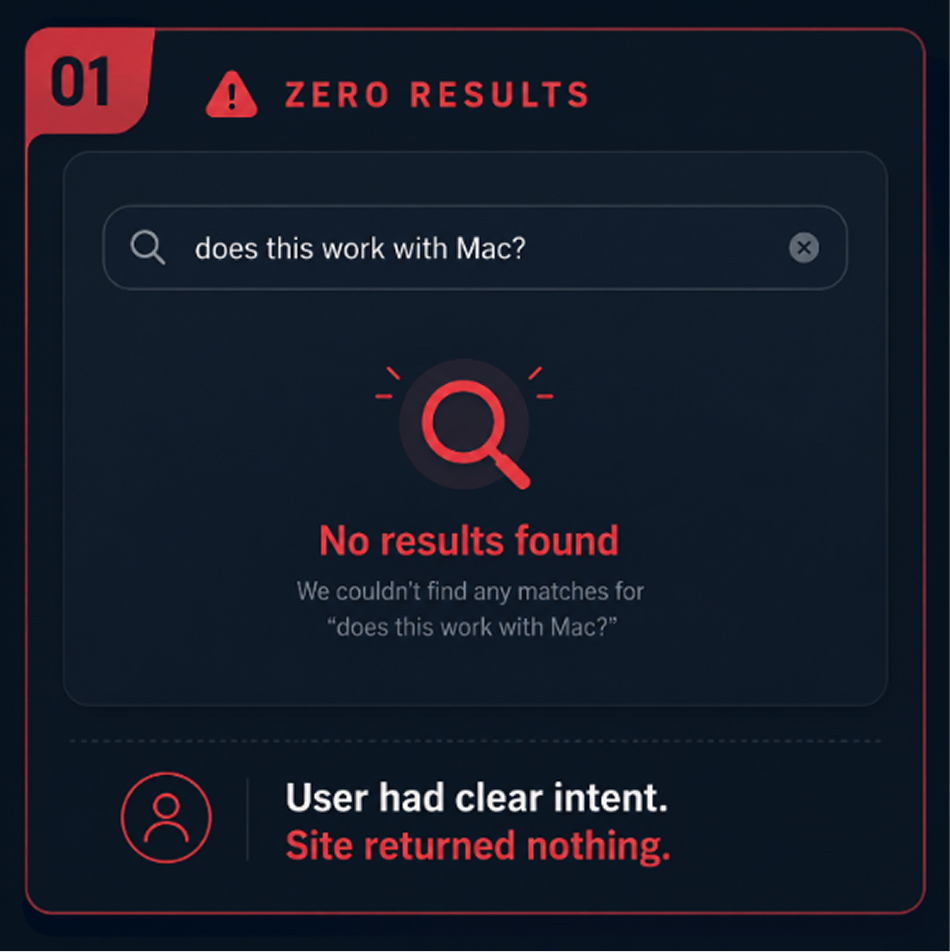
The zero-results page is the digital equivalent of a shrug. A user typed something specific. They had intent. They wanted help. Your site responded with nothing.
What’s striking about zero-result audits is what those queries actually contain. It’s rarely nonsense. It’s usually legitimate questions, natural-language phrasings of real needs, or alternative terminology for products and content that absolutely exist on the site. A user searching “does this work with Mac” on a software site shouldn’t get zero results — but traditional keyword search, finding no page with that exact phrase, delivers exactly that. It’s a matching problem, not a content problem, which is why tools like Breezy AI Search approach it by understanding intent rather than scanning for exact strings.
2. Results That Are Technically Correct but Practically Useless
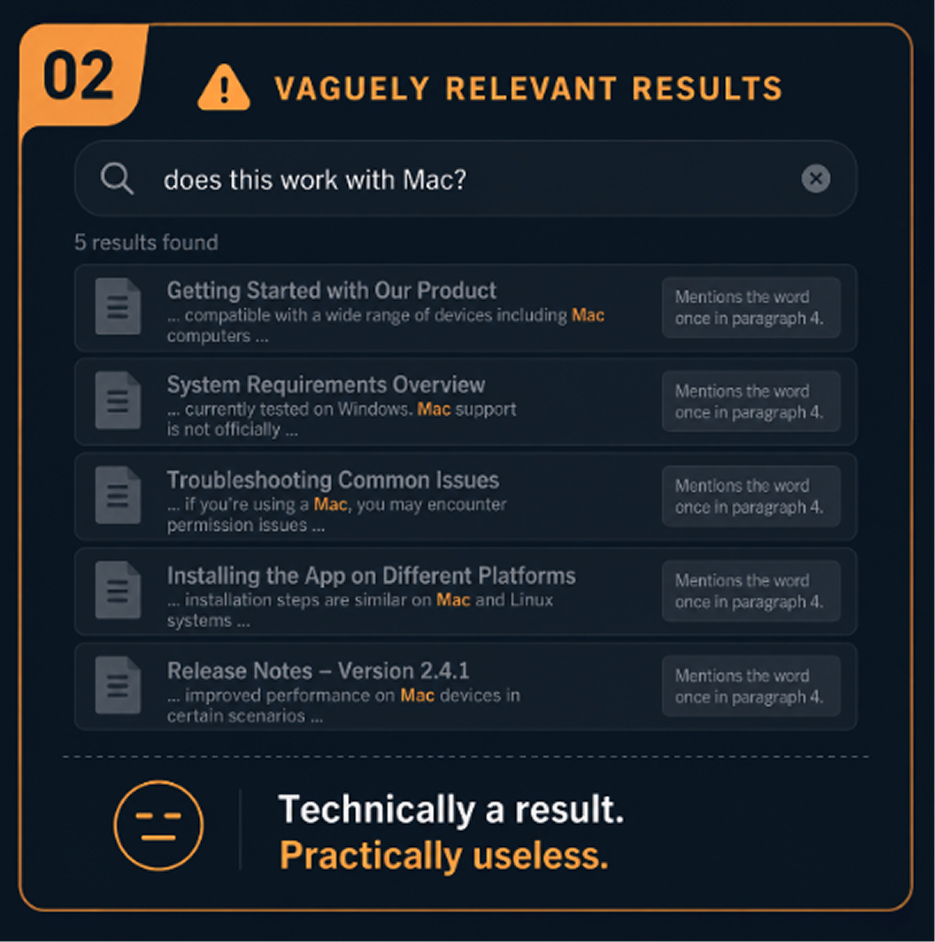
Perhaps more frustrating than zero results is ten results that don’t actually help. Traditional search returns documents that contain your keywords — but it has no way to rank them by how well they actually answer your question. A blog post that mentions “pricing” twice in passing will rank alongside a dedicated pricing page. A five-year-old press release mentioning your search term will appear next to your current product documentation.
Users read this as noise. After the second or third irrelevant result, they don’t refine their query — they close the tab.
3. Searches That Fail Because of Terminology Mismatches
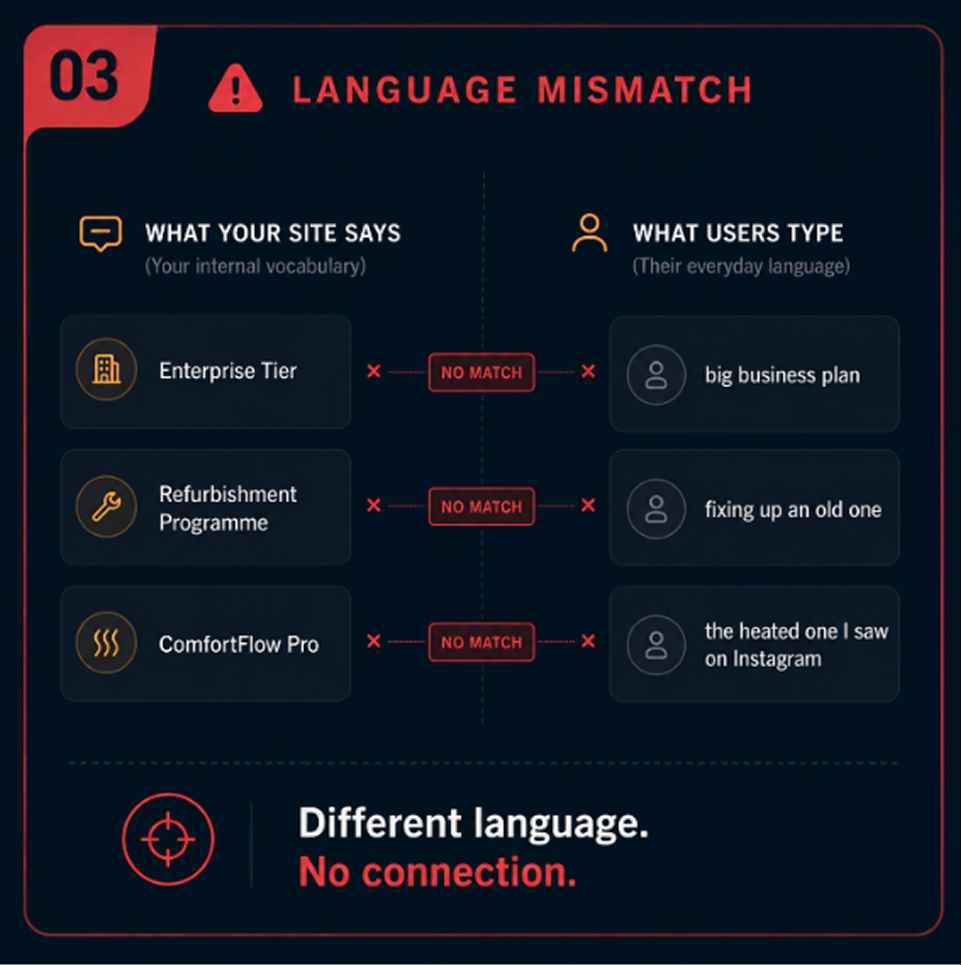
Every organisation develops its own internal language. You call it “enterprise tier.” Your user types “big business plan.” You call it “refurbishment programme.” They type “fixing up an old one.” You call your product “ComfortFlow Pro.” They type “the heated one I saw on Instagram.”
Traditional search sees different words and returns different results. It has no way to understand that these descriptions point to the same thing. Vocabulary mismatches silently destroy discovery for users who aren’t already familiar with your site’s specific terminology — which is most of them.
This shift towards conversational, intent-led queries isn’t limited to website search either. It’s also changing how people discover brands through Google and AI platforms, as we explore in how AI is reshaping SEO in Singapore.
4. Mobile Search Is Even More Broken
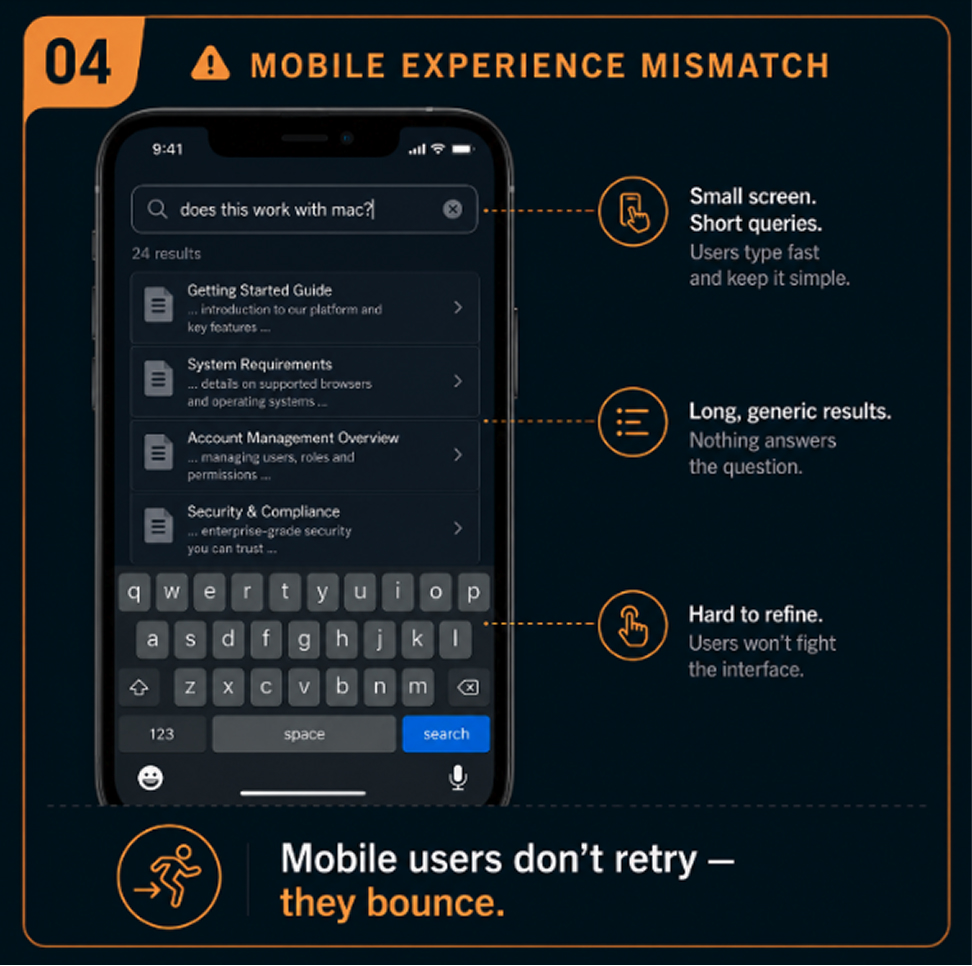
Site search built for desktop fails even harder on mobile. Small keyboards mean more typos. Users type shorter, more conversational queries. They’re often searching while distracted, with less patience for irrelevant results. Yet most site search implementations apply identical logic to mobile and desktop queries, with no adaptation for the very different context of a mobile user.
When search fails on mobile, the abandonment is faster and more final. Mobile users don’t retry. They bounce.
5. No Disambiguation When Intent Is Unclear
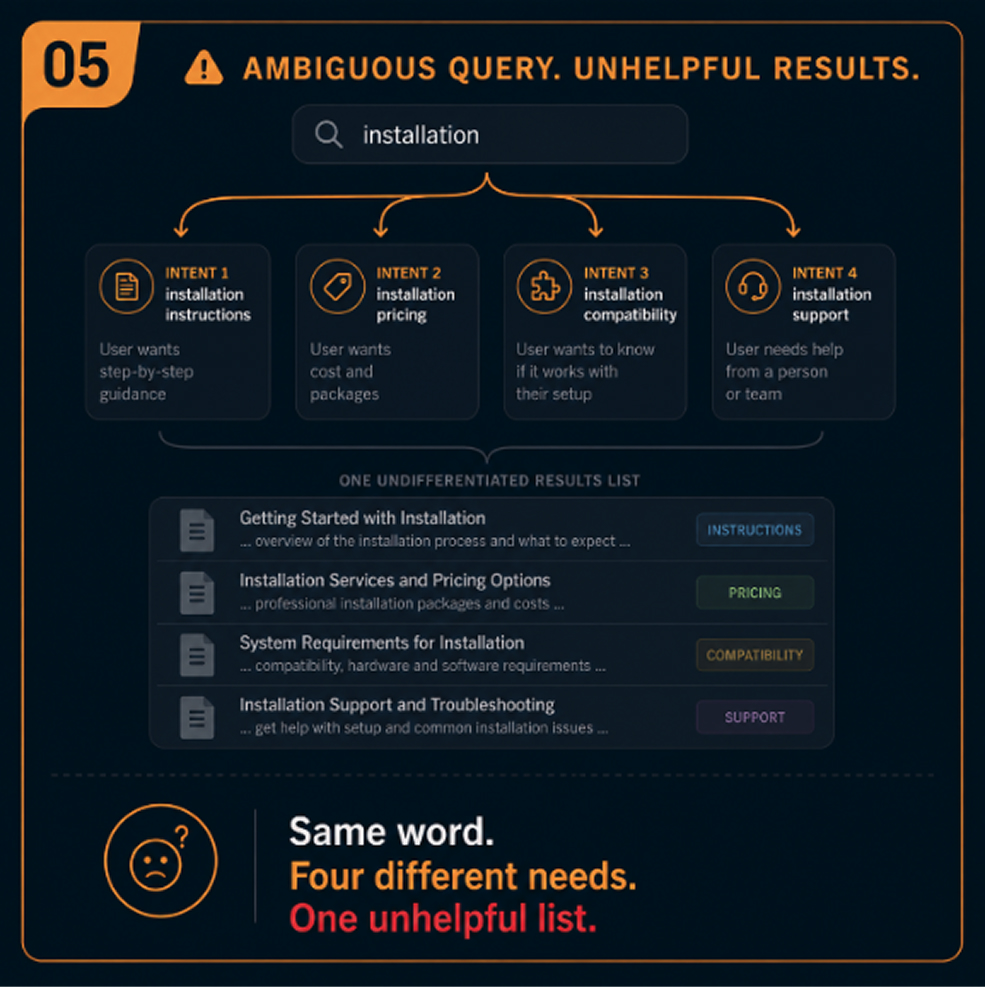
A desktop user searching “installation” on a software site might want installation instructions, installation pricing, installation compatibility, or installation support. These are four different needs. Traditional keyword search returns the same results for all of them — usually a list of every page mentioning the word — and leaves the user to sort it out.
Helping users find the right answer means first understanding which question they’re actually asking. Traditional search has no mechanism for this.
6. The Search Experience Doesn't Learn or Adapt
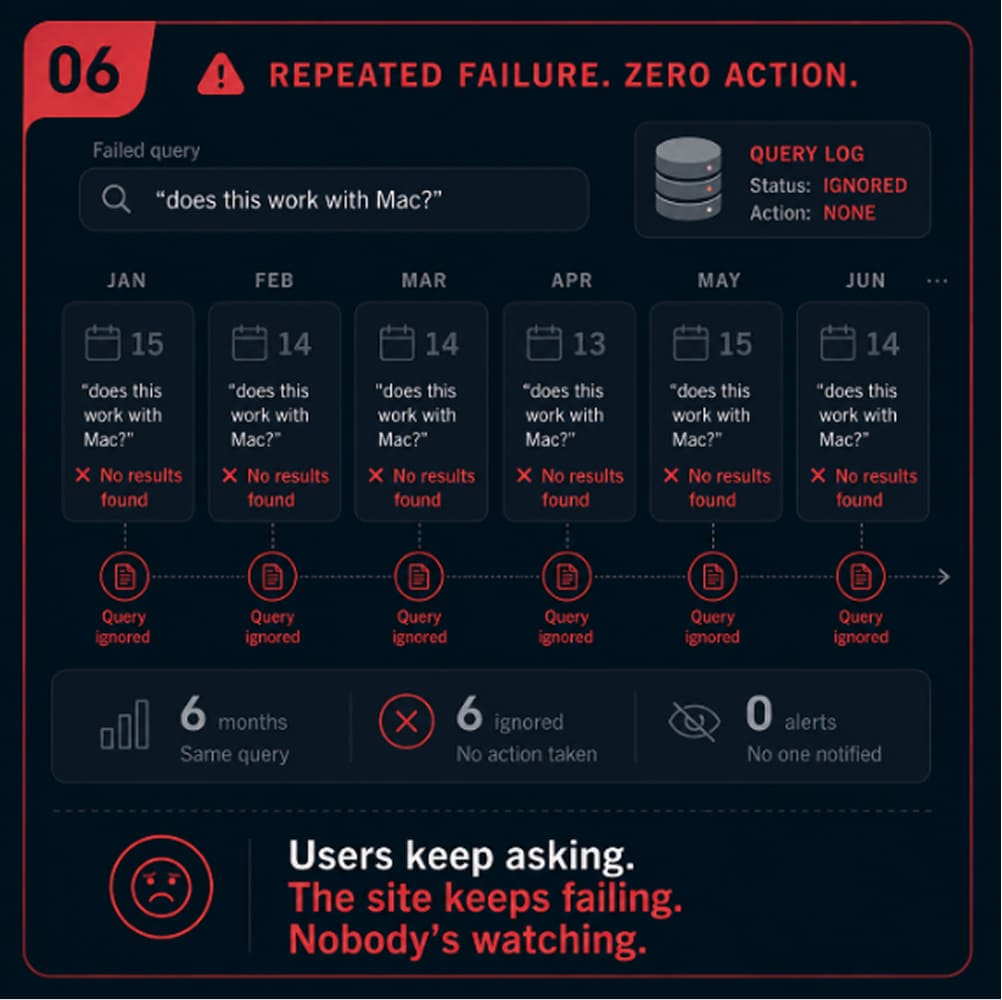
One of the most valuable signals in any digital product is what users search for. Search logs tell you what your visitors need, in their own words, in real time. Yet most traditional site search implementations treat each search as independent. Nothing is learned. Patterns aren’t recognised. Common queries that lead to dead ends just keep leading to dead ends, month after month.
What These Six Patterns Have in Common
Every one of these failure modes traces back to the same root cause: traditional keyword search was built to match words, not understand intent.
The fix isn’t a content audit or an SEO patch. It’s a different search model — one that understands what users mean when they type something, rather than scanning a database for literal matches.
AI-powered, intent-aware search resolves these patterns by understanding the meaning behind queries and matching them to the most contextually relevant content, regardless of exact wording, terminology, or query format.
Tools like Breezy AI Search bring this approach directly to existing websites, helping visitors search in natural language and find relevant answers without having to guess the exact keywords your website uses.
If your website search is showing any of the six patterns above, see how Breezy AI Search works.